

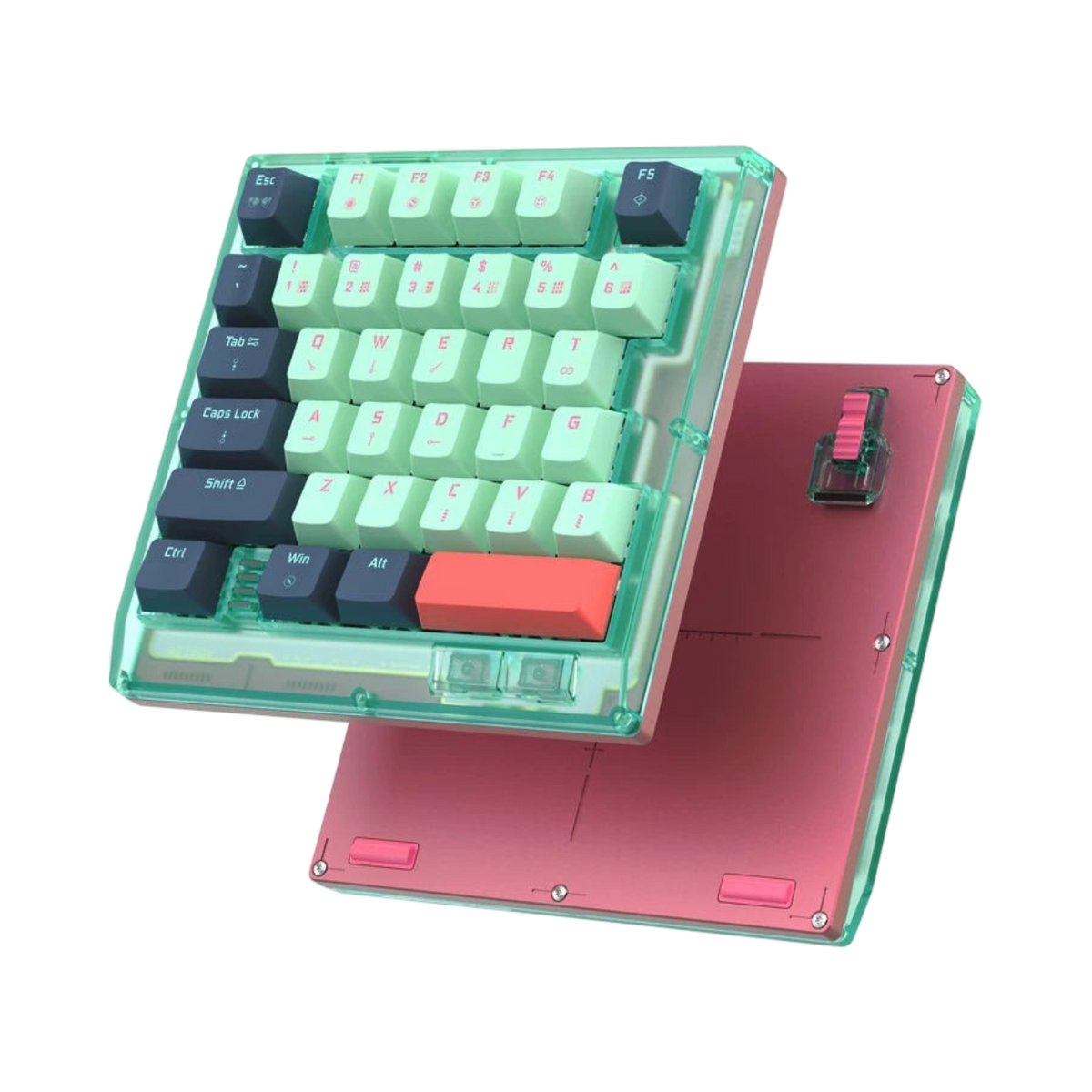
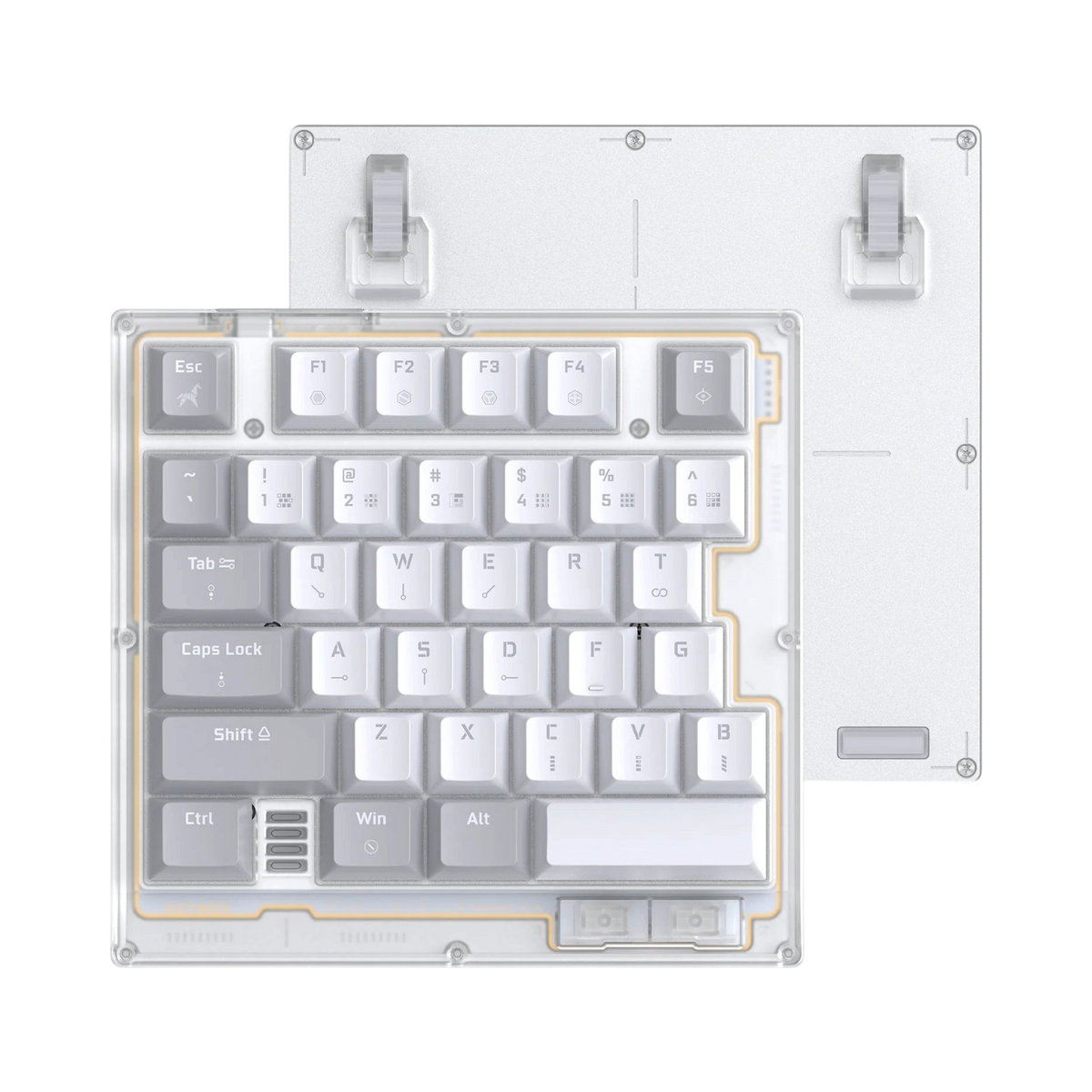
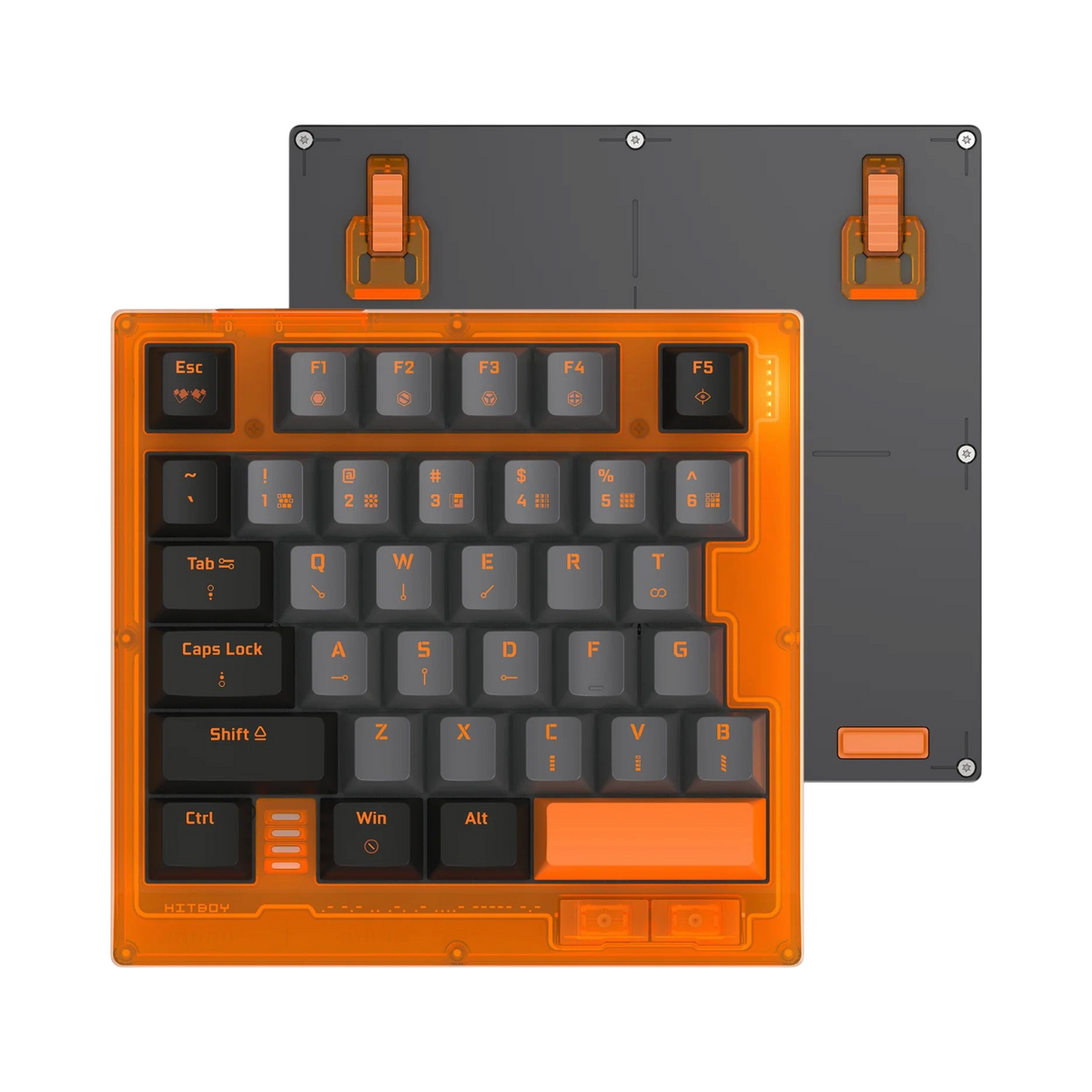
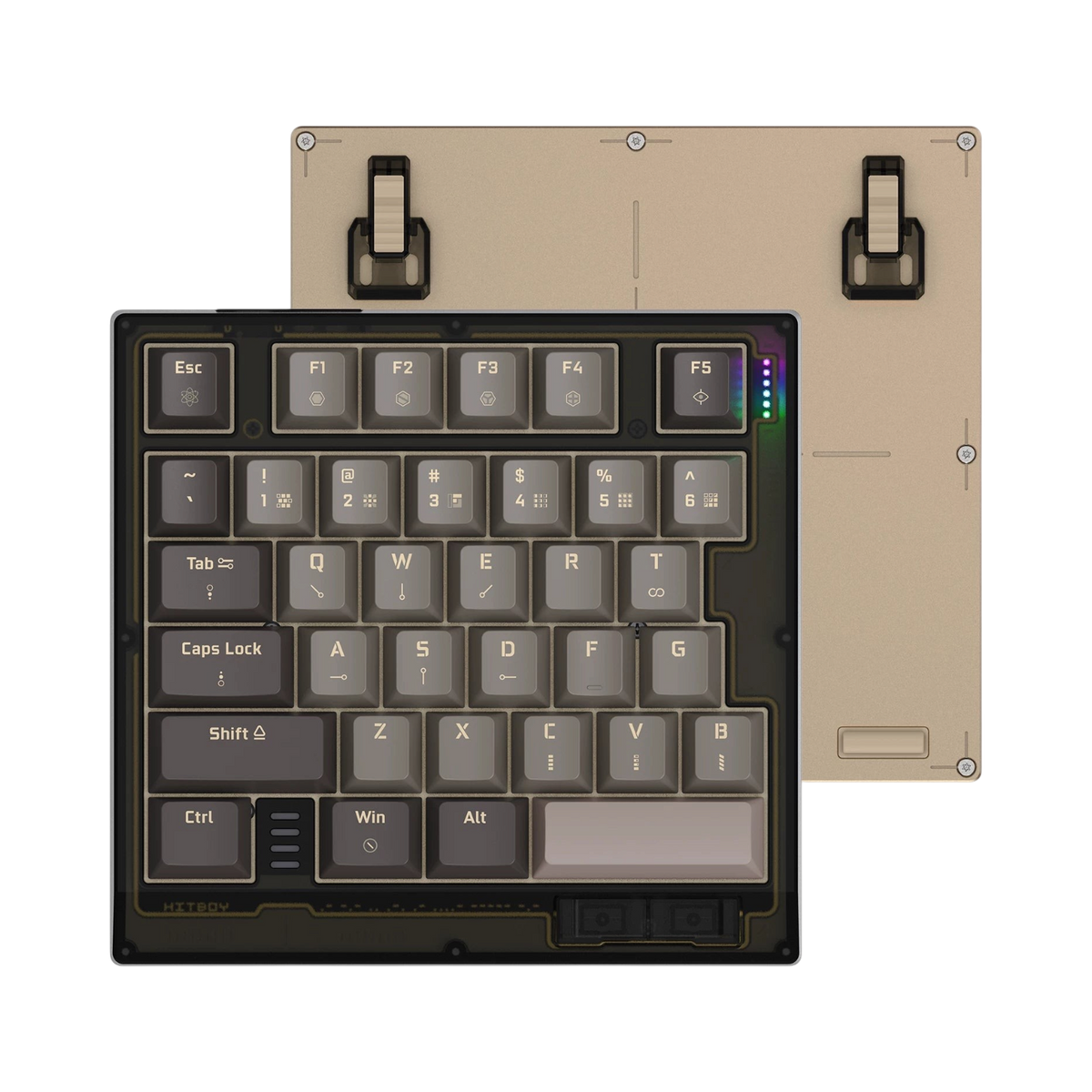
Hitboy HK35: 35-Key One-Handed Magnetic Switch Gaming Keyboard

Only the keys your left hand uses

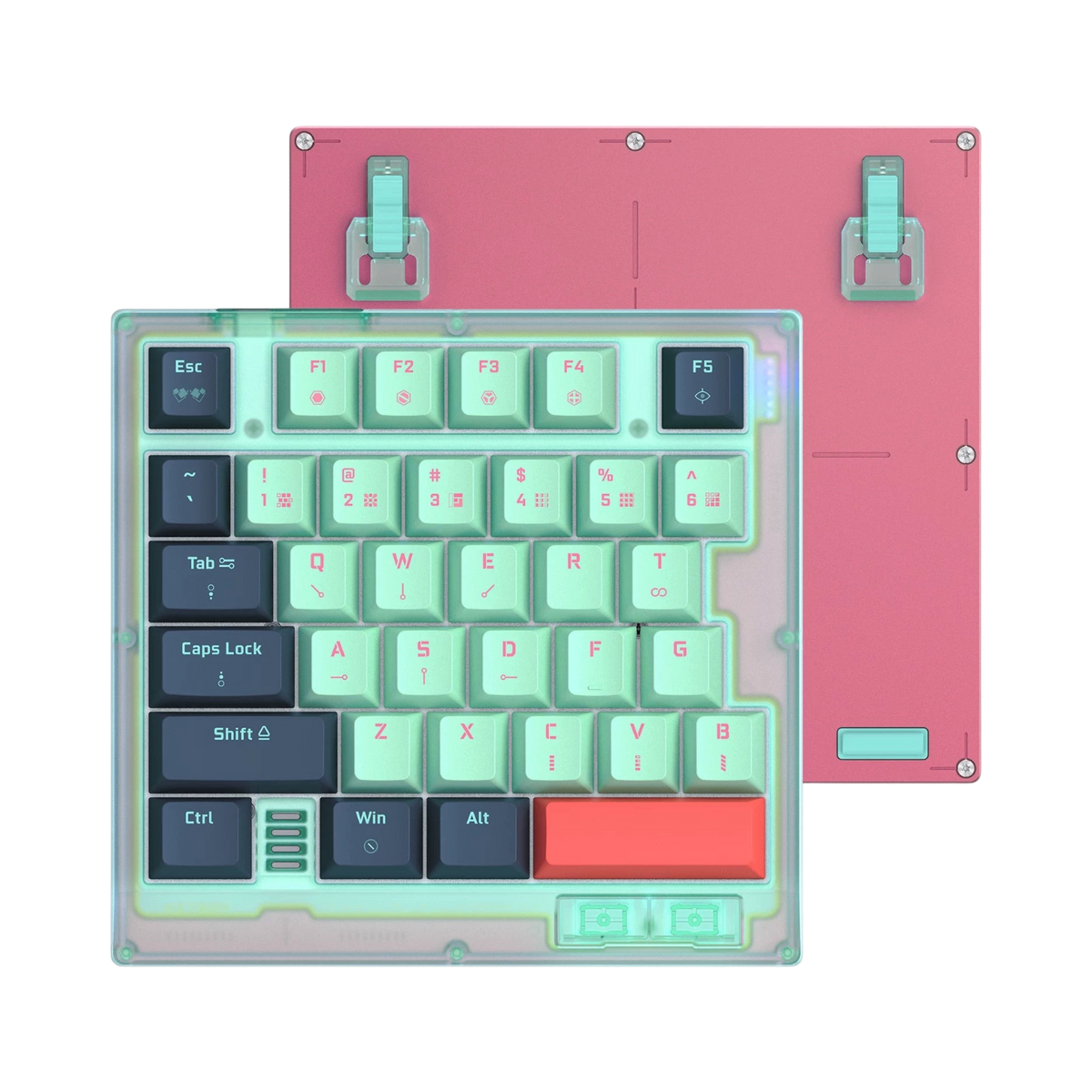
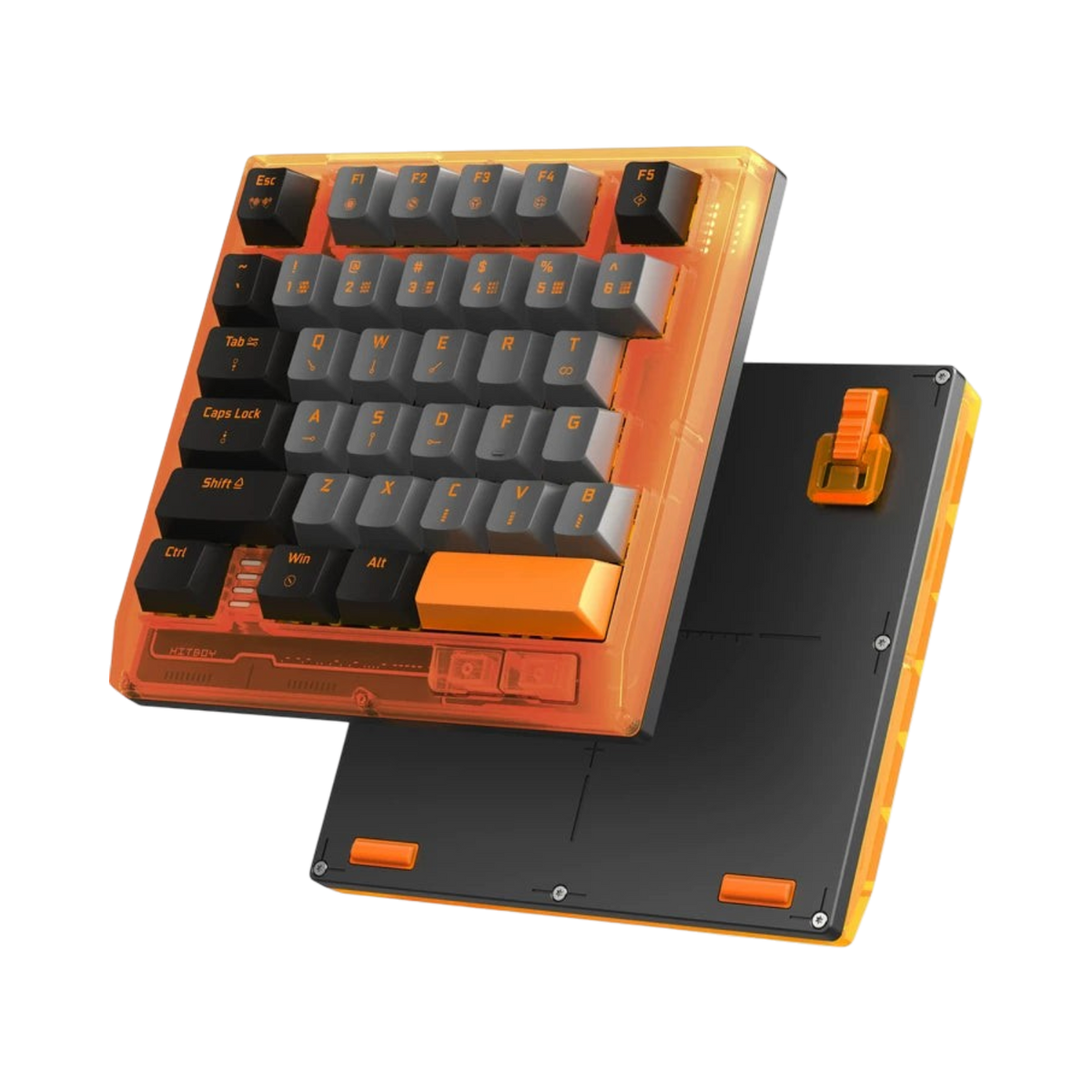
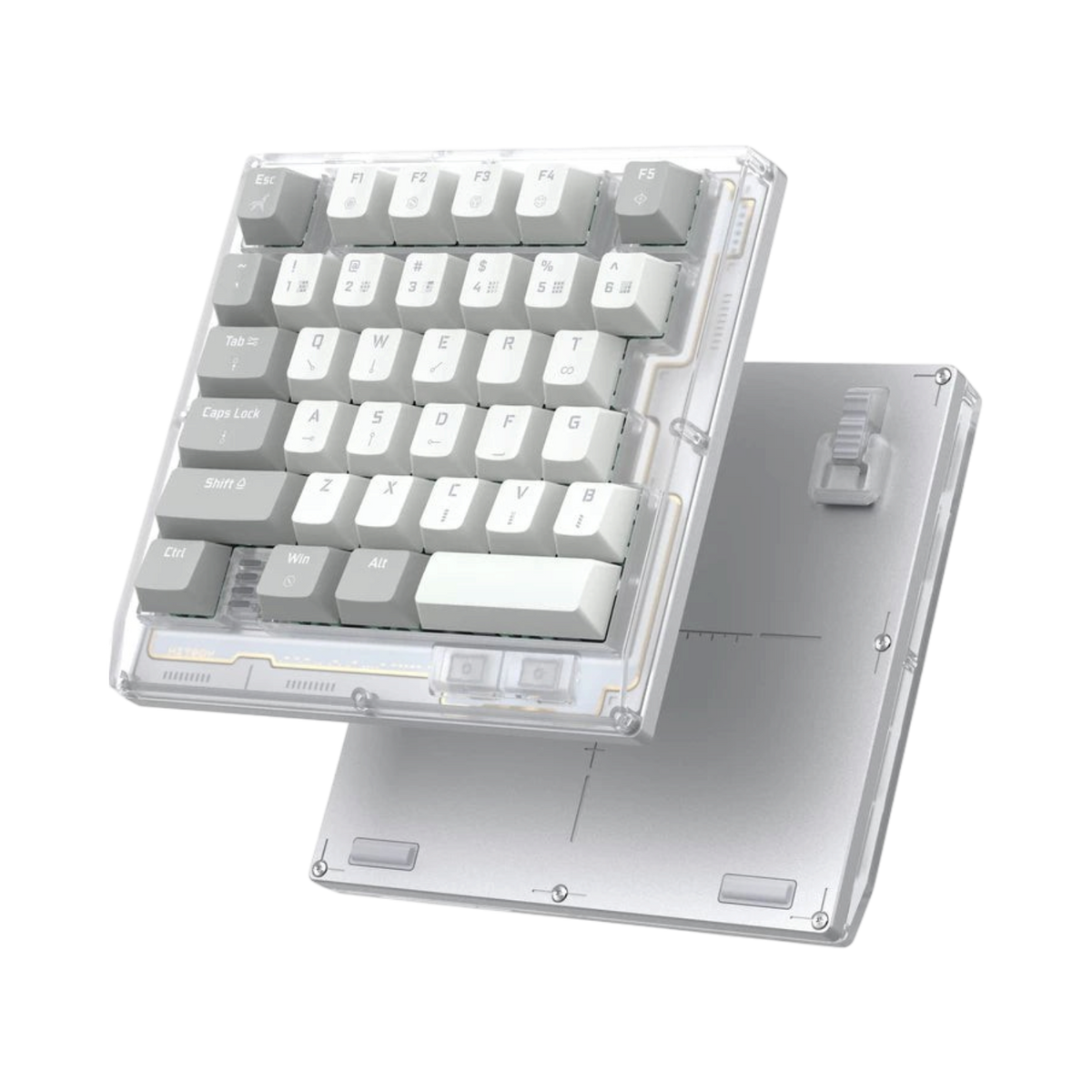
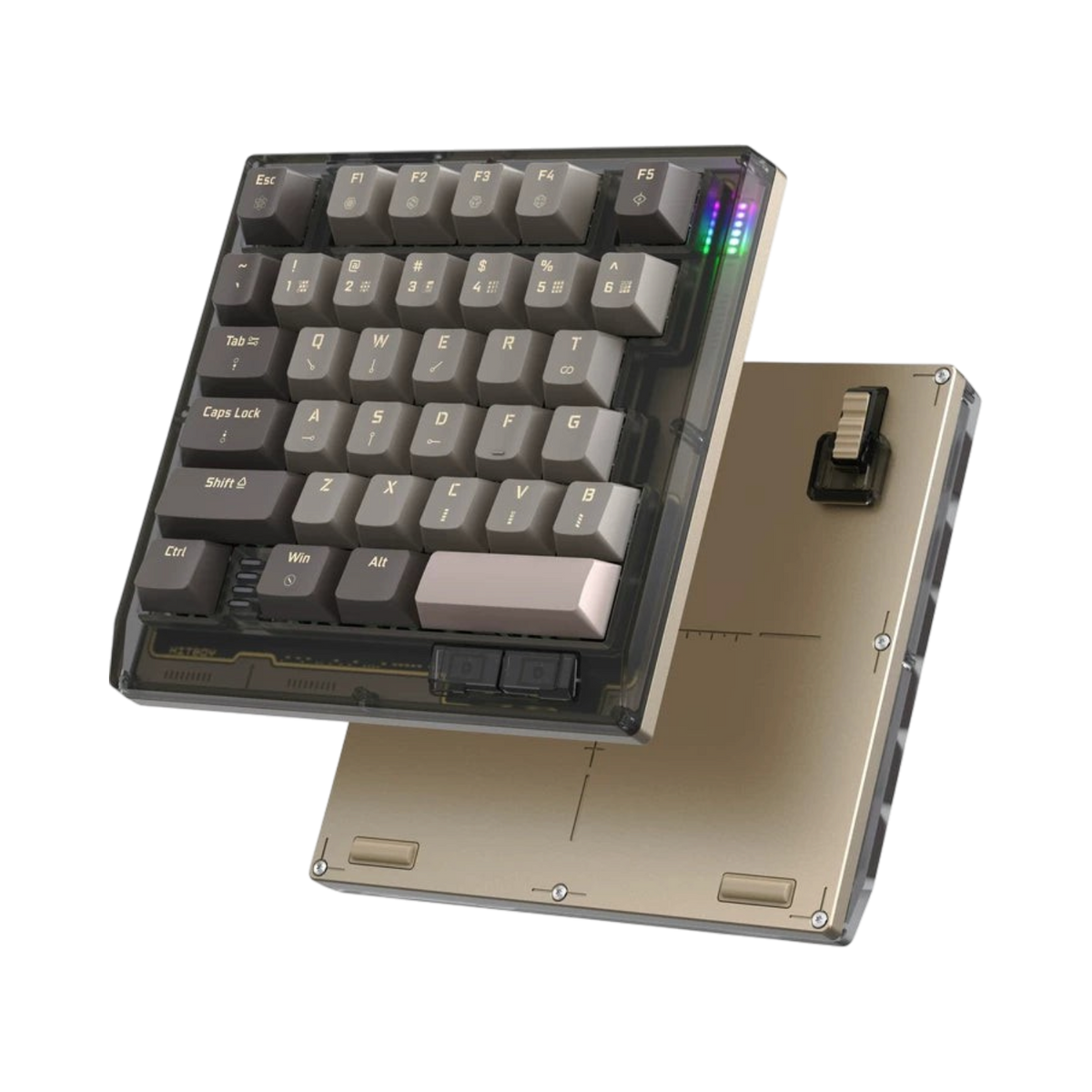
In a shooter or a MOBA your right hand is on the mouse and your left hand lives on about thirty keys: WASD, the numbers, Shift, Ctrl, Space and a handful of abilities. The rest of a full-size keyboard is furniture. The Hitboy HK35 keeps those thirty-five keys, drops everything else, and gives the space back to your mouse.

Underneath the keys are magnetic Hall effect switches, the kind that sense how far a key is pressed rather than whether it is pressed. That lets you set the exact point a key fires, reset it the instant you ease off, and tune the whole board to the way you play from a web page, with no software to install.

What magnetic switches change

Rapid trigger

A normal switch fires at one fixed depth and only resets once it travels most of the way back up. A magnetic switch resets the moment you start lifting your finger, so a strafe or a counter-strafe stops dead instead of a few milliseconds late. Every preset profile ships with a 0.1 mm safety margin so the key cannot fire from a resting finger.

Your own actuation point

Set where each key fires, anywhere along its travel, in steps as fine as 0.001 mm on supported switches. Shallow for movement keys you tap constantly, deeper for abilities you cannot afford to mis-press.

SOCD

When A and D are both held, the board decides which wins: last pressed, first pressed, or neutral. A random-delay option lets you add a small, variable delay to that handover so the behaviour stays within the rules of games that police instant switching.

Tuned in the browser

Everything on the HK35 is set up through a web driver. Open it in Chrome or Edge, plug the board in, and the whole configuration is in front of you: actuation points, rapid trigger sensitivity, SOCD rules, lighting and polling rate. It works on a tablet too, so you can tweak settings at a LAN without a laptop.

Onboard profiles mean the settings live on the keyboard, not the PC. Set up a profile per game, cycle through them with a single key, and the board behaves the same on any machine you plug it into. Whole configurations export and import as a file, so a setup you have spent an evening on is never lost.

Macros, mouse keys and a proper Fn layer

Any key can hold a macro, and macros can include mouse clicks as well as key presses, with an editable delay between each step. The mouse-function module puts cursor movement, scroll and clicks on keys if you want them there, handy in menus and inventory screens where reaching for the mouse breaks the flow.

The Fn layer takes the same advanced key functions as the base layer, so the thirty-five physical keys can carry a good deal more than thirty-five jobs. Caps Lock and Win Lock are there too, with the indicator lights deliberately kept quiet so they are not mistaken for a lighting fault.

Hot-swap for the switches you prefer

The HK35 is hot-swappable for magnetic switches, and the firmware has profiles for a growing list of them: Gateron Magnetic Jade Ultra, Gateron Spark, Kailh Ice Cream, Taishan GT, Wuque Babao Alpha, Fingertip Xinglan and Red Lotus HE among others. Each profile is calibrated to that switch's magnet, so the actuation and rapid trigger numbers you set mean the same thing whatever is under the cap. Three of them, the Jade Ultra, Xinglan and Red Lotus HE, are open to full 0.001 mm precision.

Polling runs up to 8000 Hz over the USB-C cable, with 250, 500, 1000 and higher steps selectable and a dedicated key to cycle through them. A lighting energy-saving mode dims the per-key RGB when you are away from the keyboard.

Recent firmware updates

Hitboy updates the HK35 firmware and web driver regularly. Upgrades are applied from the settings page of the web driver with one click. The most recent changes, in plain terms:

V119 (March 2026)

Polling-rate cycle key. Random-delay toggle for SOCD. Macro layout redesign. Lighting energy-saving mode. 250 Hz and 500 Hz polling steps. 0.1 mm trigger safety on every preset. Support for Gateron Magnetic Jade Ultra and Fingertip Xinglan, and 0.001 mm precision on those two plus Red Lotus HE.

V118 and V115 (late 2025)

Better behaviour on tablets and mobile systems, including an SOCD fix. Profile+ key to cycle onboard configurations. Mouse-function module. Mouse buttons and per-step delays in macros. Export and import of all configuration files. Support for Taishan GT, Gateron Spark, Kailh Ice Cream and Wuque Babao Alpha. Lower key and SOCD latency.

Q&A & Specifications

Questions & Answers

Can I use it as my only keyboard?

Not comfortably. The HK35 is built to sit beside a mouse for games. You will want a full keyboard for typing, and most people put the HK35 in front of it or to one side.

Do I need to install software?

No. The web driver runs in a Chromium browser such as Chrome or Edge. Open it, plug in the keyboard, and your settings are saved to the board itself.

Is rapid trigger or SOCD allowed in my game?

Rules vary by game and have changed over time. The HK35 lets you switch both off or add a random delay to SOCD, so you can match whatever your game currently permits.

Which magnetic switches can I swap in?

Any supported in the firmware list, which grows with each update. Pick the switch profile in the web driver after swapping so the actuation numbers stay accurate.

How do I update the firmware?

From the settings page of the web driver. Updates are one click and take a minute or two. Keep the cable connected until it finishes.

Specifications

  • Model: Hitboy HK35
  • Type: one-handed gaming keyboard, 35 keys
  • Switches: magnetic Hall effect, hot-swappable
  • Actuation: adjustable per key, down to 0.001 mm on supported switches
  • Rapid trigger: yes, with 0.1 mm safety margin on presets
  • SOCD: yes, with random-delay option
  • Connectivity: USB-C wired
  • Polling rate: up to 8000 Hz, selectable steps including 250, 500 and 1000 Hz
  • Configuration: web driver, onboard profiles, export and import
  • Macros: key and mouse commands with per-step delay
  • Lighting: per-key RGB with energy-saving mode
  • Layers: Fn layer with advanced key functions
  • Compatibility: Windows and Chromium-based web driver; works on tablets
Specifications

Ultra-fast 8K Hz response with RT0.005mm precision Experience lightning-fast performance with the HITBOY HK35 Keyboard, featuring a 8K Hz polling rate and RT0.005mm actuation for unmatched responsiveness in gaming and productivity.
Hot-swappable magnetic mechanical switches Customize your typing feel with hot-swappable magnetic switches, supporting GATERON Magnetic Jad and Honglian HE axis options for personalized tactile feedback.
Compact ergonomic mini keyboard design Designed as a mini keyboard with ergonomic layout, the HK35 offers a compact yet comfortable typing experience ideal for desktop, tablet, and on-the-go use.
Dynamic multi-color backlighting Enhance your setup with vibrant MULTICOLOR backlighting, delivering customizable illumination that adds style and improves visibility in low-light environments.
High-quality PBT keycaps for durability Built with PBT plastic keycaps, this keyboard resists wear and shine, ensuring long-term performance and a premium tactile feel with every keystroke.
Wired USB connection with reliable build Connect seamlessly via USB wired interface for stable, lag-free performance. Certified with CE, ensuring safety and compliance for global users.
Available in multiple stylish colors Choose from striking color options: Black Gold, Green Pink, Orange, White. Each HK35 keyboard comes in a compact package weighing 0.550 kg with dimensions of 20 x 16 x 5 cm.

Inside the box

HK35 keyboard, detachable USB-C cable, keycap and switch puller, user manual

Compatibility

Windows, macOS, Linux (USB keyboard); setup via Chromium-based browser; tablet and mobile support

Warranty

1 year manufacturer's warranty

Got questions? 🤔

Do you have any questions, or unsure if this product is compatible with your setup?